 twobucket.

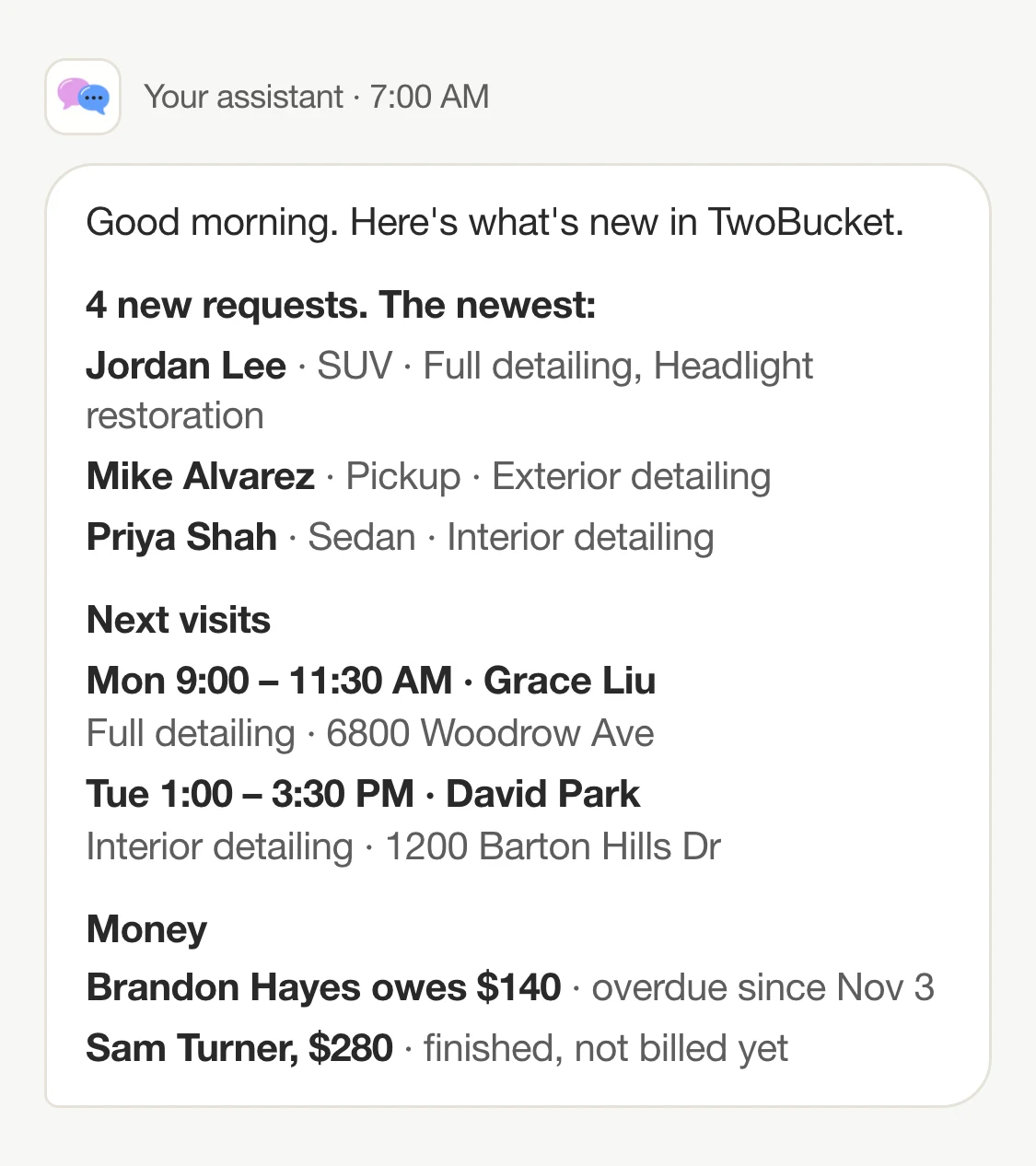
You can connect an AI assistant to TwoBucket, then ask it to check your business at a set time every day and send you a single message with new requests, today’s visits and anything still owed. Instead of opening apps between jobs to see what came in, you get one morning summary from your real data, at the time you choose.
Claude from Anthropic, Grok Bot from xAI and Muse from Meta are three assistants that can run tasks on a schedule. Each can add TwoBucket’s connector, read your requests, schedule and earnings, and report back without you asking each time. TwoBucket is the only software built just for mobile detailers that you can connect to ChatGPT, Claude, Gemini, Grok and Muse.
Two ways to use an assistant
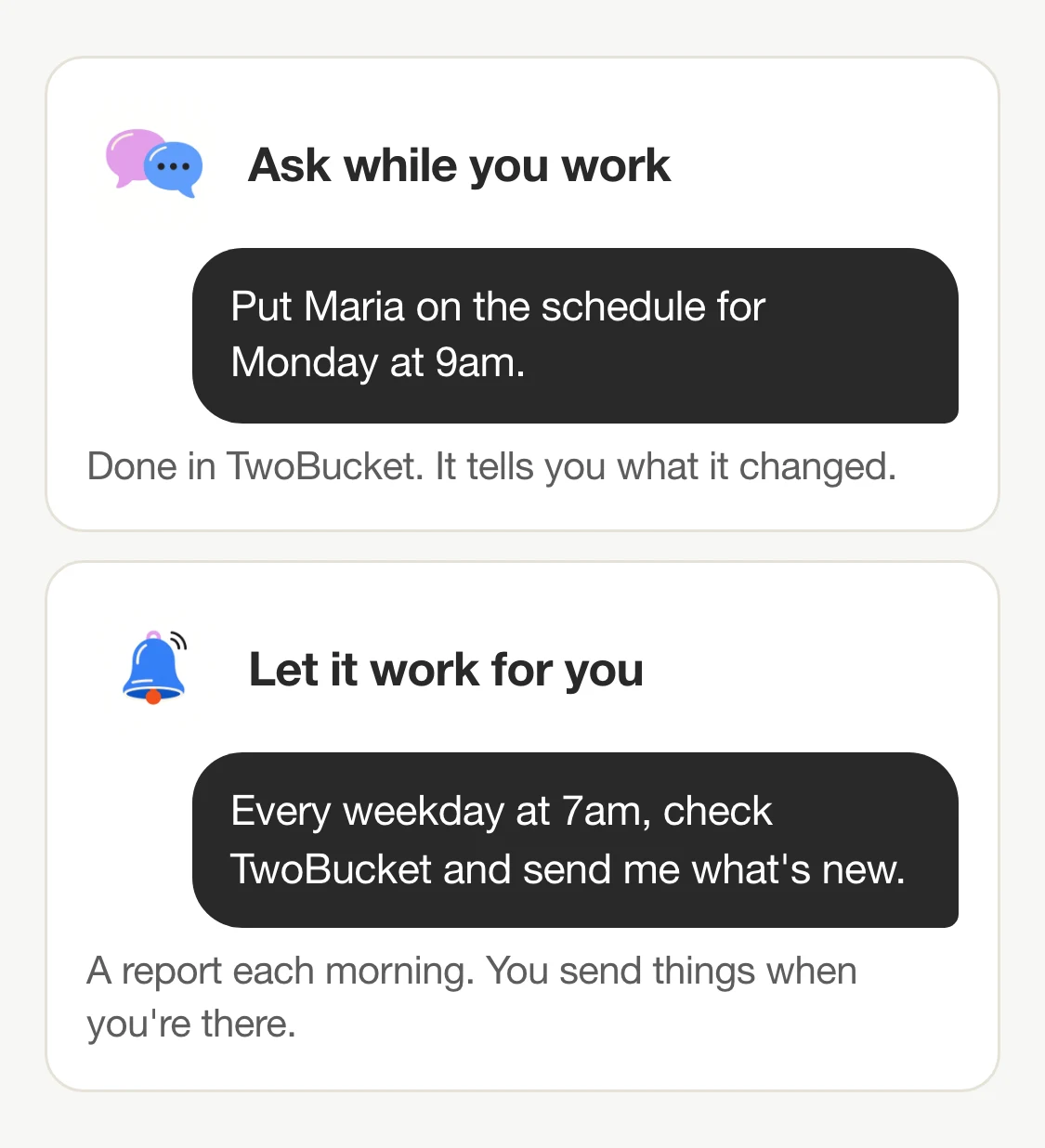
The first way is to ask while you work. You type something like “Put Maria on the schedule for Monday at 9am” in a chat, and the assistant reads your requests, schedule and prices, makes the change in TwoBucket, and tells you what it did. This is useful when you have a moment between jobs.
The second way is to let it work for you. You set up a scheduled task once, and the assistant checks TwoBucket on its own every morning, every Sunday evening, or on whatever days and times you choose. It sends you what it found. Anything that goes to a customer still goes through TwoBucket’s summary and confirm step.
What a morning report can tell you
A connected assistant can read all of this from your TwoBucket business and include it in a scheduled report:
- New requests still marked New: the customer’s name, the work they asked for, the vehicle, and when the request came in. For any single request it can also pull the address, the preferred date, notes and condition.
- Jobs with the timer running, so you know if anything was left open the day before.
- Today’s scheduled visits: customer, time, work and address.
- Earnings for the current week, month or year compared with the period before, plus what is still owed and which invoices are overdue.
- Finished work not yet billed.
- Free time in your working hours, if you want to see where another job could fit.
In our test business, we asked Muse in a chat on November 6, 2026: “Morning! What’s new in my detailing business? Any new requests I need to deal with?” The assistant listed the three new requests with each customer’s name, the services they asked for, and their vehicle: Lucía Fernández, interior detail and headlight restoration, 2020 Subaru Outback; James Carter, interior detail, 2018 Ford F-150; and Maria Lopez, exterior detail and headlight restoration, 2021 Toyota RAV4. A scheduled task can bring you the same kind of answer at the time you set, without the question.
Set it up in three steps
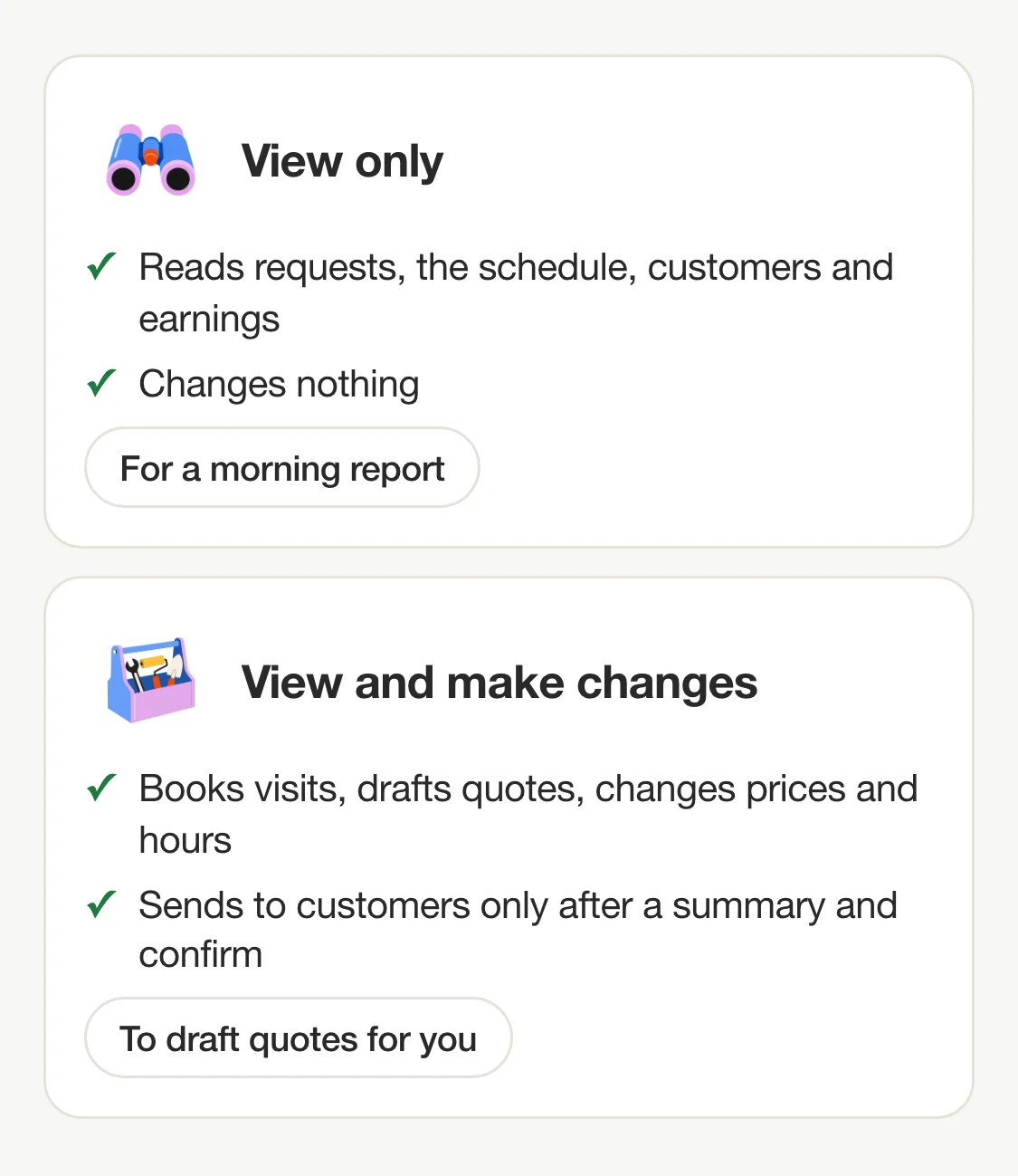
- Connect TwoBucket. Follow the setup guide to add TwoBucket’s connector address to your assistant. If you only want morning reports and no changes, pick View only when TwoBucket asks for your permission.
- Ask your assistant for a scheduled task. In a chat, send a request like this one: “Every weekday at 7am, check TwoBucket and send me: new requests with the vehicle and what they want, today’s visits with times and addresses, and any invoices that are overdue.”
- Check the first report against TwoBucket. When the first message arrives, open TwoBucket and compare the requests, visits and invoices the assistant listed. If you want more or less in it, ask the assistant in chat to change the task.
In Claude, Grok Bot and Muse
Claude
You describe the task and how often it should run in a chat. Claude’s help says scheduled tasks can use your connected tools, so a scheduled task can use the TwoBucket connector you already added. Scheduled tasks are available on all paid plans: Pro, Max, Ultra, Team and Enterprise.
Grok Bot
Grok Bot is xAI’s assistant that works in the background, a separate app from Grok. A routine tells a Bot when to run a workflow. xAI’s help says you “Ask for a schedule in plain words, like ‘every weekday at 8:00 AM’,” and routines run in the cloud while your laptop is closed. xAI’s help also says “A Bot can also add an MCP server that isn’t in the catalog, by URL,” so you ask the Bot to connect TwoBucket’s connector address. Grok Bot is included on X Premium, Super and Ultra plans (not X’s Plus plan).
Muse
You use Muse in the Muse app on phone or desktop, or in WhatsApp. Once you set a task, Meta says it “continues to work on a schedule” and “can send you messages without you prompting it.” You add TwoBucket by asking Muse in a chat to create a custom connector — we connected TwoBucket this way on November 6, 2026. You change or delete a scheduled task by asking Muse in chat.
Requests to copy
- ”Every weekday at 7am, check TwoBucket and send me: new requests with the vehicle and what they want, today’s visits with times and addresses, and any invoices that are overdue.” — One message each weekday with what came in, where you’re going and who owes you.
- ”Every Sunday at 6pm, tell me next week’s visits and how much I made this week compared with last week.” — A weekly look-ahead so you know what Monday holds before it arrives.
- ”Every morning, for each new request in TwoBucket, draft a quote from my prices. Don’t send anything. List the drafts for me to check.” — Quotes drafted from your prices, waiting for you to check and send.
- ”Every Friday at 5pm, list the jobs I finished but haven’t billed yet.” — Catches work you completed but forgot to invoice before the weekend.
Let it read and draft; you send
On its own, the assistant can read your requests, schedule, customers and earnings. It can put a visit on the schedule without telling the customer, and it can draft a quote or invoice. None of that reaches your customer.
Sending an estimate, quote, invoice or visit to a customer, and marking an invoice paid, go through TwoBucket’s summary and confirm step. TwoBucket returns a summary of exactly who gets what, and only does it when the assistant confirms. TwoBucket tells assistants to show you that summary and wait for your OK, so do it when you are there to look it over. Separately, email that Grok Bot itself writes in a routine waits as a draft until you press Send.
If you want a morning summary and nothing more, connect with View only and the assistant cannot make any changes at all.
Your customers’ details
When a connected assistant reads your TwoBucket data — customer names, phone numbers, addresses, vehicles — that information is processed by the assistant’s company under its own terms. Before you connect, look at your assistant’s data and privacy settings so you know how it handles what it reads.
You can disconnect an assistant at any time in Settings → Assistants. Disconnecting stops it immediately. The Settings → Assistants screen is on the web.
We make TwoBucket — mobile detailing software for solo detailers and small teams. To see everything else a connected assistant can do, read what you can ask it.
Questions
Does my computer have to be on?
No. Claude’s help says scheduled tasks “run remotely, so they run on their cadence even when your computer is asleep or the Claude Desktop app is closed.” Grok Bot’s routines run in the cloud while your laptop is closed. Meta says Muse works in the background while the app is closed.
Can it reply to customers for me?
The assistant can draft a quote, estimate or invoice, but sending it to a customer always goes through TwoBucket’s summary and confirm step. TwoBucket hands the assistant a summary of exactly who gets what and tells it to check with you, so keep sending for when you’re there.
What does it cost?
TwoBucket Plus includes assistant connections at no extra cost. Plus is $20 a month or $191.64 a year ($15.97 a month) with a 7-day free trial, no card required. Your assistant may need one of its own paid plans: Claude’s scheduled tasks are on its paid plans, and Grok Bot is included on X Premium, Super and Ultra.
Can I stop it?
You can ask your assistant in chat to change or delete the scheduled task at any time. If you want to cut off access entirely, go to Settings → Assistants in TwoBucket and click Disconnect next to the assistant. It stops immediately.


