Add your quote form to your website
Keep the website you have. Customers choose services, tell you about the car and add photos without leaving it.
7 days free. No card required.
 Sedan
Sedan SUV
SUV Pickup
 Full detailingFrom $229
 Ceramic coating$899–$1,800
- Wix
- Squarespace
- WordPress
- Webflow
- Shopify
- GoDaddy
Four ways to add it
Choose one, or use more than one on the same website. The form is the same in each.
Steps for each site builderThe form inside a page of your website.



<div data-twobucket-inline="your-business"><a href="https://bookr.page/your-business">Get a quote</a></div>
<script src="https://bookr.page/embed.js" async></script>
Paste it where the form should appear. If your site builder asks for a website address instead of code, use https://bookr.page/embed/your-business.
Try the real form
This is TwoBucket’s sample page, added here with the inline code above.
Made to fit someone else’s website
The form runs inside your website, so it works around your header, your buttons and your customers’ phones.
Grows with each step
The inline form resizes to fit each step, so there is no scroll box inside your page.
Clears your header
Each step scrolls into view below a fixed or sticky header.
Your theme and language
The form uses your booking page’s theme, language and currency.
Loads when needed
The script loads without holding up your page. An inline form loads as it comes near the screen.
Opens without a wait
The pop-up starts loading when the button is pointed at, focused or tapped.
Full screen on phones
On phones the pop-up fills the screen. Closing it keeps what the customer entered for next time.
Your own buttons
With the script on a page, any link to your TwoBucket page opens as a pop-up.
Never a dead end
Every snippet is a plain link until the script runs. If the form can’t load, customers get a link to open it in a new tab.
Out of the way
The floating button hides while an inline form is on screen, so it never covers the form.
See what your website brings in
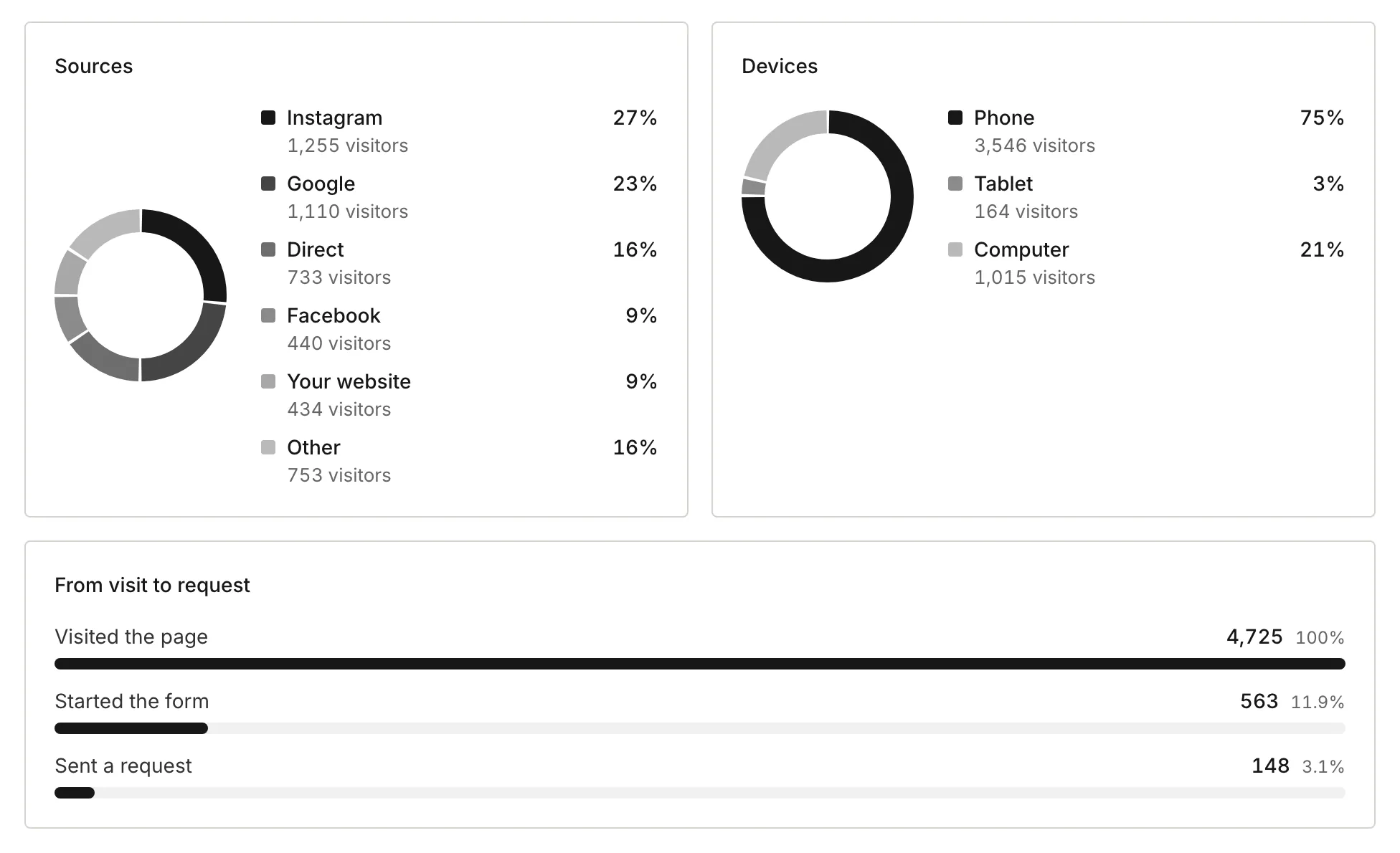
Add your website under Business details, and visits from the form on it show as Your website in Stats, from visit to request.
For your own analytics, the script fires a twobucket:request-sent event when a customer sends a request. It carries your page address, never customer details.
document.addEventListener(
  "twobucket:request-sent",
  () => gtag("event", "generate_lead"),
);
Questions
Do I need a developer?
No. Copy the code from Booking page → Add to your website in TwoBucket and paste it into your site builder. To skip code altogether, link a button you already have to your TwoBucket page.
Which website builders does it work with?
Any website that accepts HTML, including Wix, Squarespace, WordPress, Webflow, Shopify and GoDaddy. On Google Sites, embed the form by its address. Some builders only allow code on paid plans.
Will it slow down my website?
The script loads without holding up your page, and an inline form loads only as it comes near the screen.
Does the form match my website?
It uses your booking page’s theme, language and currency. Choose the theme closest to your website from TwoBucket’s six.
What happens if the form can’t load?
Customers still get a link to your TwoBucket page. Every snippet is a plain link until the script runs, and a form that can’t load offers to open in a new tab.
Can I count requests in Google Analytics?
Yes. When a customer sends a request, the script fires a twobucket:request-sent event on your page. Send it on as a conversion. It carries your page address only, never customer details.
Do visits from my website show in TwoBucket?
Yes. Add your website under Business details, and visits from the form on it show as Your website in Stats, from visit to request.
What if my page isn’t published yet?
Your website shows “This form isn’t available.” until you publish your page in TwoBucket.
Related
How to add a booking form to your detailing website
What each way is for, what Wix, Squarespace, WordPress and other builders allow, and what to test.
Booking page
Services with photos and prices, vehicle and condition, photos, and the day and time customers prefer.
Themes
Six color themes for your booking page and the form on your website.
Put your quote form on your website
Set up your page, then copy the code from Booking page.