One option that many small service based businesses use to accept online appointments is Square Appointments. Some mobile detailers use this as well. They have a free version and can accept payments through card.
TwoBucket is different than Square. Square will allow you to create a calendar and the customer will select an available time. They can also pay for the service. TwoBucket is created for the detail industry. We allow the customer to submit what they need done and their vehicle information then you can provide them with a quote, schedule the visit and invoice them. It really comes down to how you charge.
Since we make TwoBucket we’re going to try to remain objective. All information on pricing and Square Appointments features was taken from Square’s website and support center. This was checked in October 2026.
Short answer
If you want your customer to book on your calendar and be able to collect payments Square is a great option. Many of the features on their free version are enough for some detailers.
If you would like to provide your customer with a quote and want them to tell you about any pet hair, stains or smell in their vehicle TwoBucket may be better for you.
| TwoBucket | Square Appointments | |
|---|---|---|
| Price | $20/mo, or $191.64/yr ($15.97/mo) | Free plan $0. Plus $49/mo per location. Premium $149/mo |
| Free trial | 7 days, no card | Free plan has no time limit. 30 days on Plus and Premium |
| Customers book a real time slot | No. They pick a preferred day and time window, and you confirm | Yes. You can accept automatically or approve each one |
| Card payments | Yes, for US businesses, on invoices through your own Square or Stripe account. No TwoBucket fee | Yes, on the free plan. Online 3.3% + 30¢ on Free, 2.9% + 30¢ on paid plans |
| Deposits | No | Yes, on the free plan |
| Google Calendar | Yes. Visits sync to Google Calendar, Outlook or iCloud | On Plus, $49/mo per location |
| Vehicle type or make, model, and year | Built in | Price variations by vehicle size that you set up |
| Vehicle condition (pet hair, stains, odor…) | Built in | Not built in. Up to 5 optional customer fields |
| Instagram Book now button | No. Your page goes in your bio link | Yes, Square is a partner |
Some pros of using Square
- Customer can book with you and select who they want if you have multiple people.
- Can collect payments and allow customers to book with deposit or full payment. (Free Version)
- Square has a free version. They call it Square Free. You will pay to accept payments but they offer many features for free. Their Plus package is $49 a month per location. Which will allow you to do things like charge no shows and connect to Google Calendar.
- Square will keep customer info on file for previous appointments.
- Allows you to book through Instagram’s Book Now Button. Square is an approved partner. We currently cannot offer that. You would just put the link to your TwoBucket page on your bio.
Downsides of Square for detailing
As stated earlier Square allows the customer to book you for a service. Many times detailers don’t know what the price will be until they see the vehicle.
- No vehicle information or vehicle condition questions. You can add different prices to different vehicle sizes and add on services. However there is only so much information you can gather when a customer is booking through the web. There are only 5 questions that can be asked and all are optional. There is no way for the customer to let you know their back seat has dog hair on it.
- Customer can book you for a full detail. Only to find out it’s going to take you 6 hours. You can always adjust your price but it’s already been booked.
Again these may not affect you if your menu is basic and you don’t quote many jobs.
What TwoBucket does
TwoBucket will allow your customer to select their vehicle by picture. Or allow them to enter their make, model and year with suggestions as they type.
They can also let you know if there is any pet hair, stains, odor, sand, heavy dirt, mold, food spills or grease.
Each service and add on you can list a fixed price, a starting price, a range, or leave the price off. If there is a price for each thing they select they will see an estimate.
Customer can select what day they want you to come and what time they prefer within your hours. Then you can confirm with them when you would like to show up.
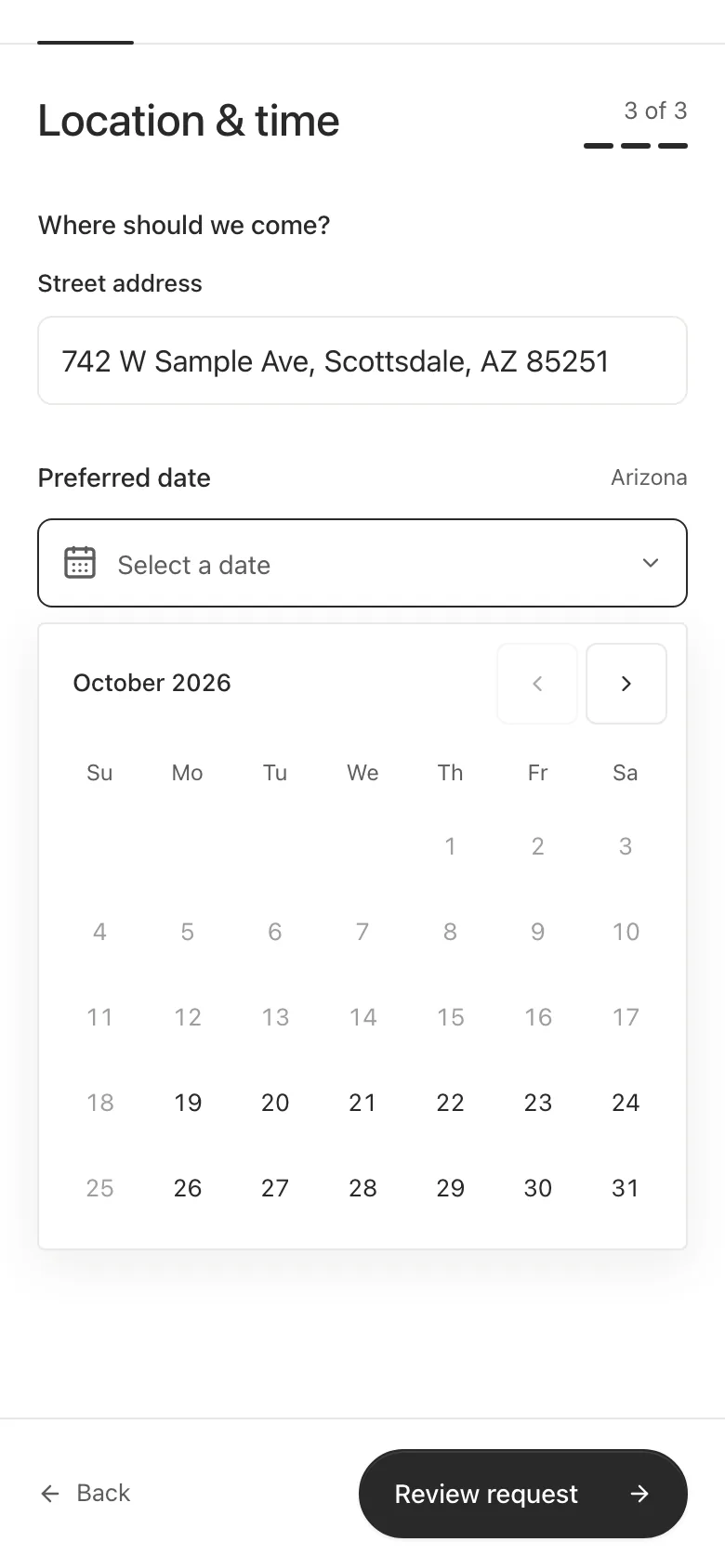
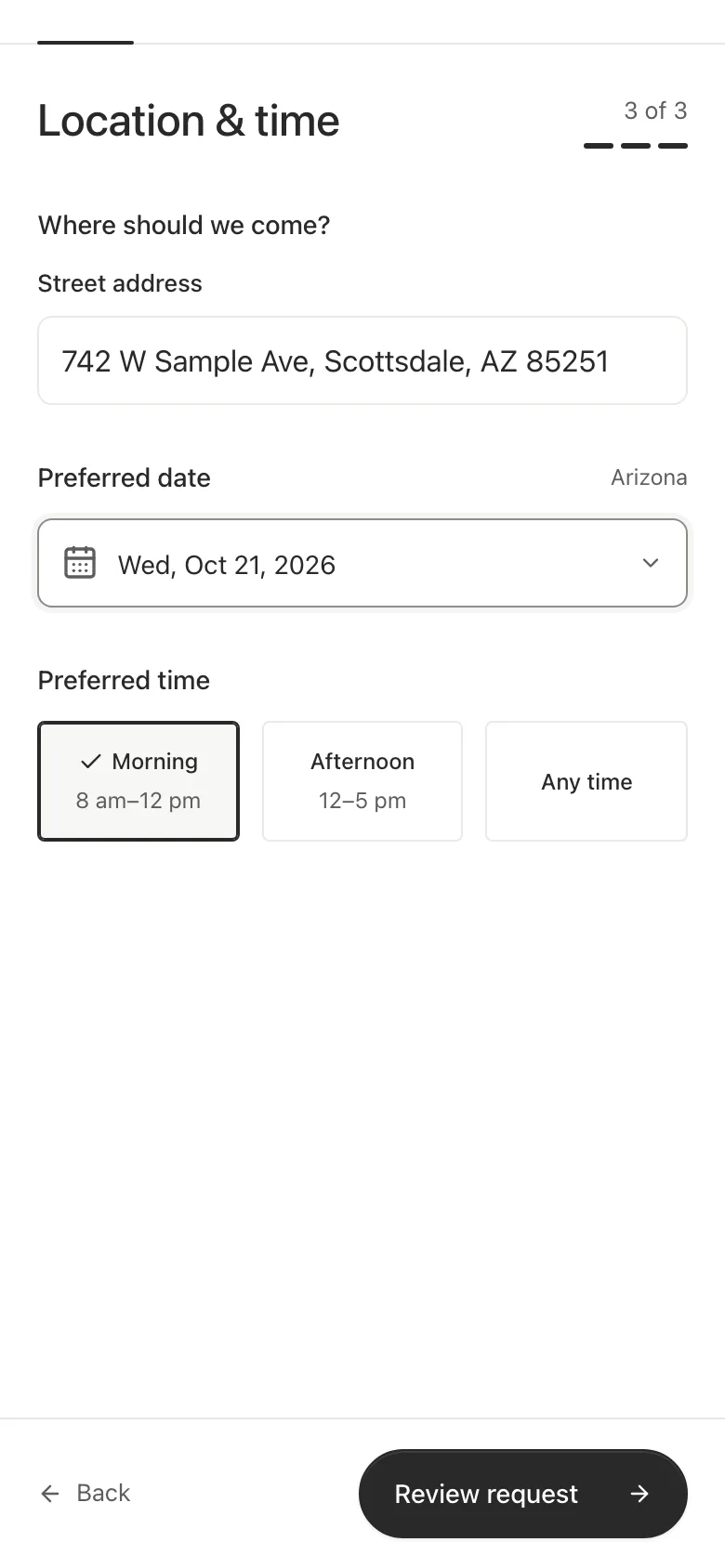
Once they submit the info you will receive an email and if you’re in the US you can also turn on text messages.
Once you agree on a time you can schedule the visit in TwoBucket. It shows up in your Google Calendar, Outlook or iCloud calendar, and TwoBucket reminds your customer the day before. When the job is done send an invoice. If you connect your Square or Stripe account your customer can pay it by card. TwoBucket doesn’t take deposits.
Price
Square offers their free version for $0 a month. To accept online payments on your free account they charge 3.3% + 30¢. Once you’re upgraded to Plus or Premium they lower that rate to 2.9% + 30¢. Square Plus is $49 a month per location. Premium is $149 a month. They both offer a free trial of 30 days.
TwoBucket is $20 a month. Or you can pay annually for $191.64 which comes out to $15.97 a month. We offer a free 7 day trial and do not require a credit card. If your customers pay by card through TwoBucket, Square or Stripe charge their usual fee and TwoBucket adds none. See pricing.
If you want customers to book a time slot and pay up front Square is your best bet. You’ll be paying for TwoBucket because of our intake form for detailers.
Questions
Can I use Square Appointments for my mobile detail business?
Yes you can. You can input your prices for different vehicles and add-ons. And have customers book at their location.
Can I take payments through TwoBucket with Square?
Yes, if your business is in the US. Connect your Square account in TwoBucket and your invoices show a Pay button. The money goes to your Square account, and TwoBucket takes no fee.
Which one should I use if I want to quote jobs?
TwoBucket was designed for you to be able to quote jobs. Square does allow you to send estimates but their booking starts with the customer picking a time.