 twobucket.
Card payments for mobile detailers
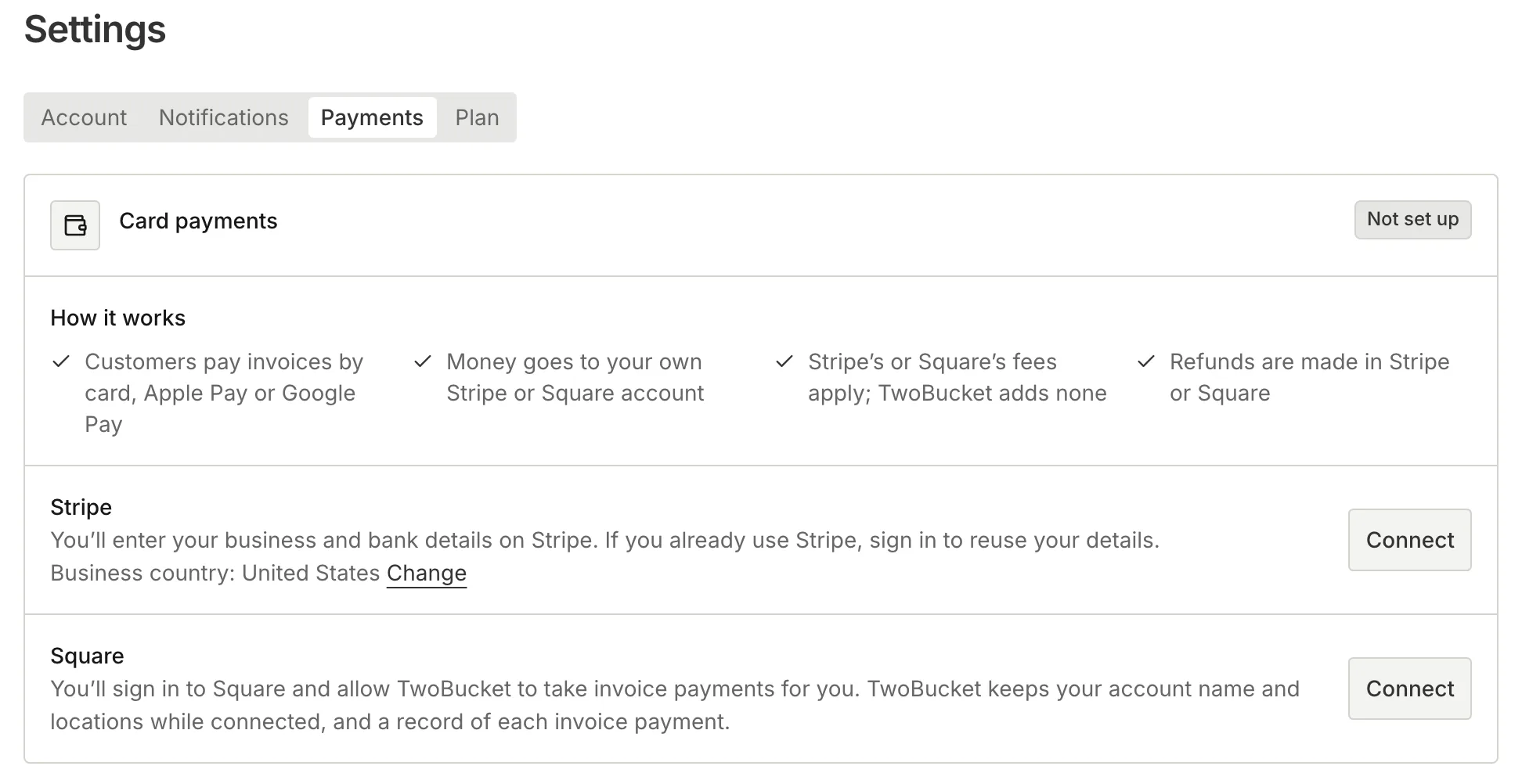
Your customers pay the invoice total by card, Apple Pay or Google Pay right from the link you send. The money goes to your own Stripe or Square account.
A Pay button on every invoice
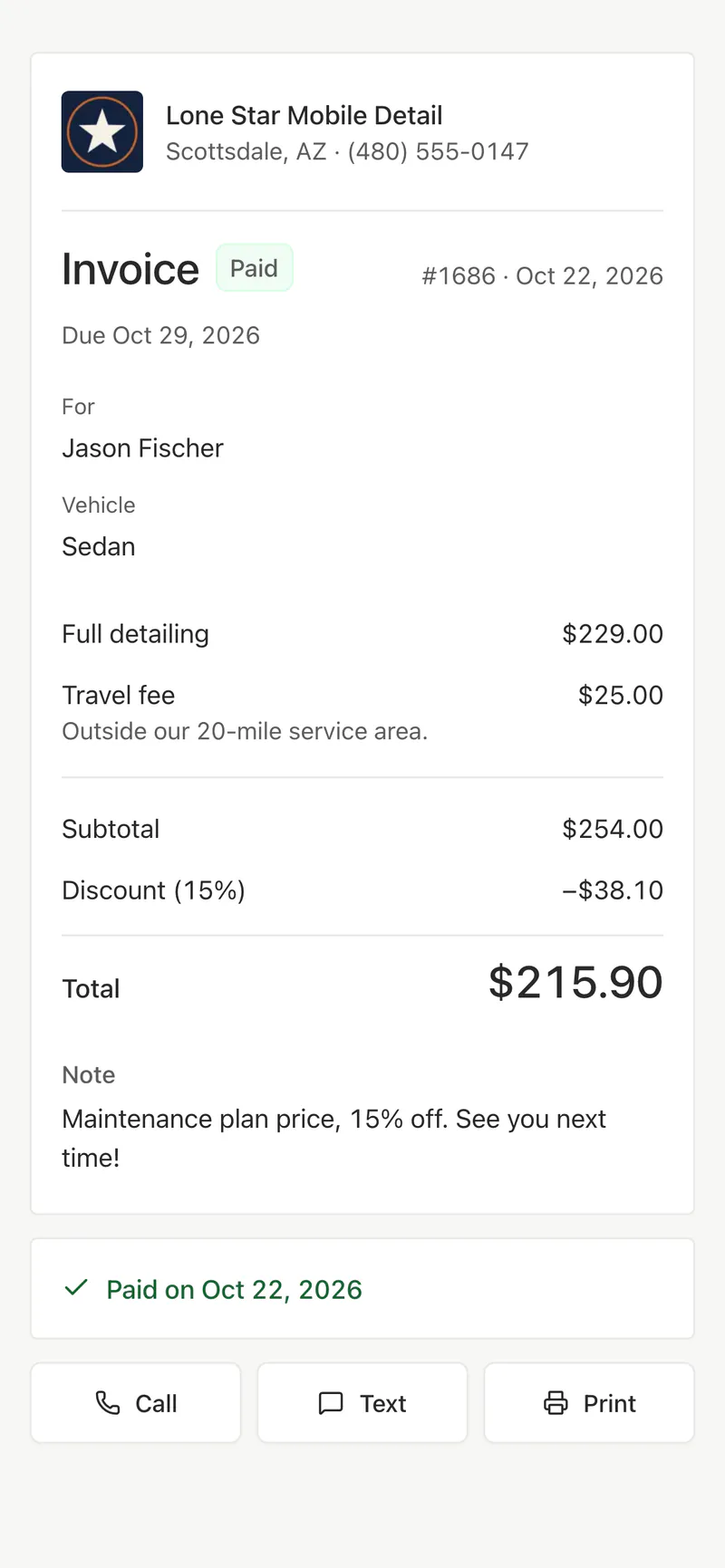
When you send an invoice by text or email, the customer opens the link on their phone and sees a Pay button for the exact total. They pay by card, Apple Pay or Google Pay on a checkout page hosted by Stripe or Square. No app to download, no account to create.
Paid into your own Stripe or Square account
Connect your Stripe or Square account once in Settings. The money goes straight there, and Stripe or Square send it to your bank on their own schedule. TwoBucket adds no fee to any payment; Stripe or Square charge their usual processing fees. Refunds are made in Stripe or Square.
- Works in the countries Stripe or Square serve
- Paid in your account’s currency
You know when it’s paid
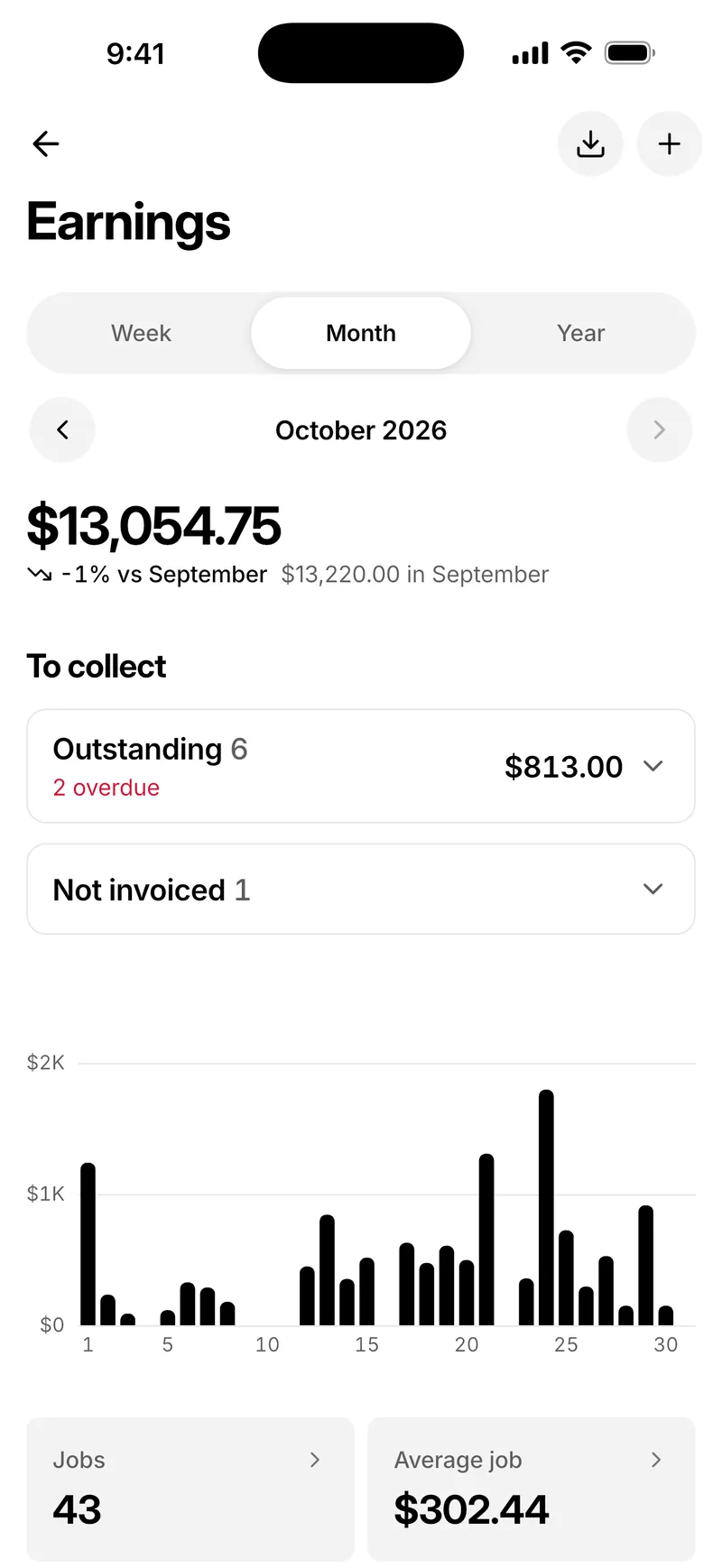
You get an email when a customer pays, with their name, the invoice number and the amount. The invoice locks so the total can’t change, and the customer sees it marked Paid. A refund made in Stripe or Square shows on the invoice too, and Earnings counts every payment.
Zelle, Venmo, bank transfer and more
Save up to 12 other ways to pay, such as Zelle, Venmo, Cash App, PayPal, a bank transfer, Pix, UPI or Interac. Your country’s own options are suggested first. Each invoice lists the ones you tick, with a Copy button for every detail and a link to the payment app where there is one.
- QR codes for SEPA transfers in euros, UPI in rupees and Pix in reais
- The amount is filled in, with a reference such as “Invoice 12”
- An email to you whenever your payment methods change
Cash, a card reader or a tip on the day
When a customer pays you in person, mark the invoice paid and choose how: cash, card reader, Zelle, Venmo, Cash App, PayPal, bank transfer or check. Add the tip if there is one. Only you see the method; the customer’s invoice shows Paid, and Earnings counts it with your tips.
Set up card payments
 1
Open Payments
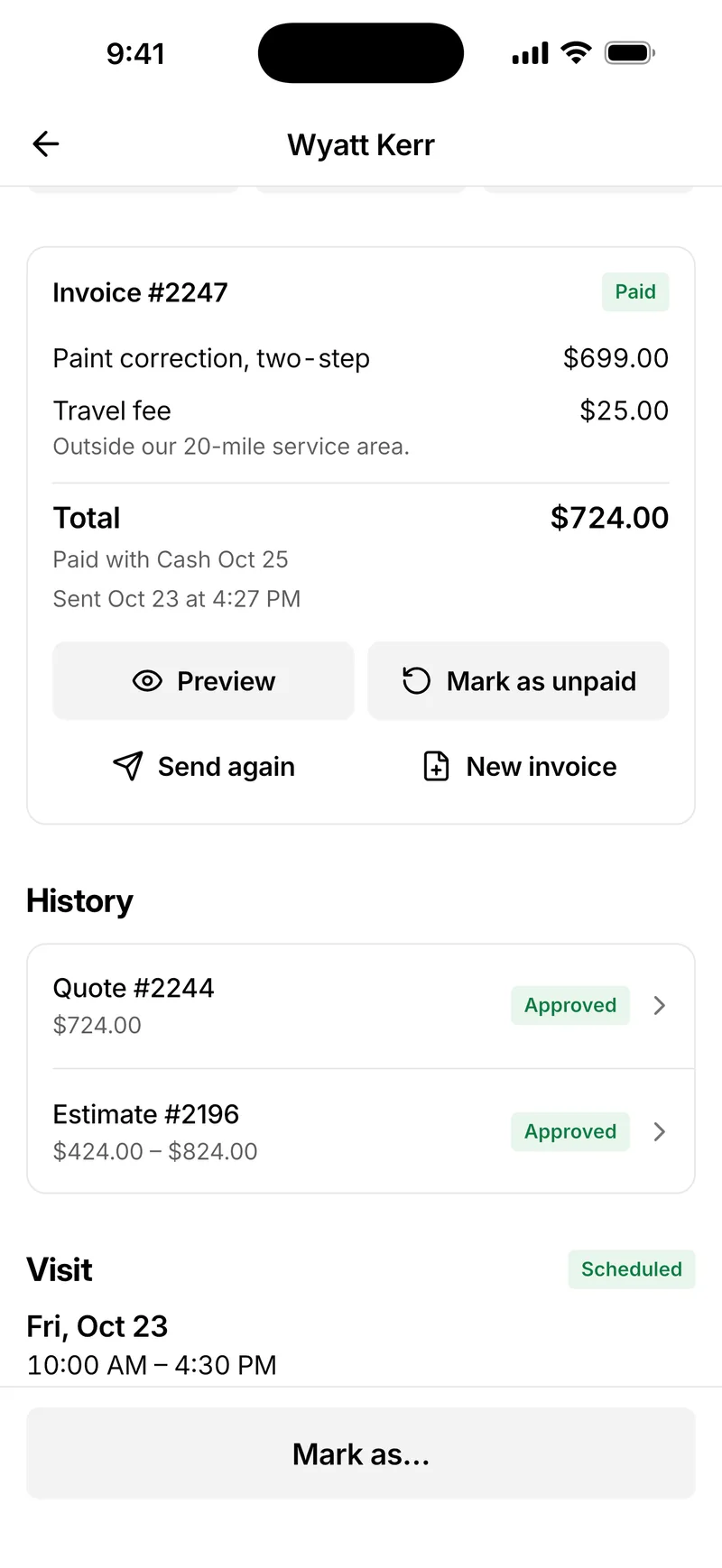
Go to Settings → Payments on the web, or More → Payments in the app.
 2
Connect Stripe or Square
Choose Connect next to Stripe or Square. Stripe asks for your business and bank details; Square asks you to sign in and allow TwoBucket to take invoice payments.
 3
Save other ways to pay
Add Zelle, Venmo, a bank transfer or anything else you take. This step is optional.
 4
Send an invoice
The invoice shows a Pay button for the total, with the other ways to pay you ticked.
 5
Get paid
The customer pays from the invoice link, and you get an email with the amount.
Included in the plan
- Card payments
- Card, Apple Pay and Google Pay through your own Stripe or Square
- Fees
- Stripe’s or Square’s usual fees; TwoBucket adds none
- Other ways to pay
- Up to 12, with Copy buttons, app links and QR codes
- Mark as paid
- Cash, card reader, Zelle, Venmo and more, with any tip
Questions
Does TwoBucket take a fee from my card payments?
No. The money goes to your own Stripe or Square account. Stripe or Square charge their usual processing fees, and TwoBucket adds nothing on top.
Can customers pay with Apple Pay or Google Pay?
Yes. The checkout page is hosted by Stripe or Square and takes cards, Apple Pay and Google Pay. Your customer picks whichever their phone or browser offers.
Do I need a card reader?
No. Customers pay from the invoice link on their phone. If you do use a card reader on the job, mark the invoice paid and choose card reader.
When do I get the money?
Stripe or Square send it to your bank on their own payout schedule. TwoBucket never holds the money.
Can I use it outside the US?
Yes. Card payments work in the countries Stripe or Square serve, in the currency your account is paid out in. Pix, UPI, SEPA bank transfers and Interac are there too, with QR codes where they apply.
Can I still take cash, Zelle or Venmo?
Yes. Save Zelle, Venmo or any other method once, and each invoice lists the ones you choose. When a customer pays you another way, mark the invoice paid and pick how. The customer’s invoice shows Paid either way.
More in TwoBucket
Quotes and invoices
Estimates with ranges, quotes to approve, invoices paid by card, Apple Pay or Google Pay, and earnings by week, month and year.
Job timer
Time every job, and see earnings per hour, average job, tips and what’s still owed.
Pricing
One plan with every feature. 7 days free, no card required.
Your work is spotless. Now your business is too.
Set up your page today and share it with your next customer.