 twobucket.

A good deposit covers what a no-show costs you (the drive, the lost morning, the customer you could have booked instead) without making a loyal customer hesitate. In our study of 30 mobile detailers’ pricing pages, the one that published a deposit asked $50, and the one with a cancellation fee charged $50 too. That is roughly a quarter of a typical full detail. For bigger jobs like paint correction or a ceramic coating, a percentage of the quoted price grows with the job. Either way, the deposit comes off the final bill, so the customer pays the same total they expected.
This guide covers how many detailers publish a deposit, fixed amount or percent, when to ask for one, how to write a short policy, what happens if you refund it, and how reminders and confirmations fit in.
Do mobile detailers take deposits?
Most don’t say anything about it on their pricing page. We read the pricing pages of 30 US mobile detailers in 21 states on October 17, 2026. Only two of the 30 stated a deposit or a cancellation fee:
- One detailer in Georgia took a $50 deposit for Friday-through-Sunday slots. It counted toward the bill, couldn’t be refunded within 48 hours of the visit, and was lost on a no-show.
- One detailer in Iowa charged a $50 fee for cancelling with less than 24 hours’ notice.
Two others said outright that nothing is paid up front. The remaining 26 said nothing at all about deposits or cancellations. Payment was often collected after the job by cash, Venmo, Zelle or a pay link.
This is a sample found by searching for pricing pages, not the whole market: detailers who quote every job rather than listing prices are undercounted. Still, in this sample a published deposit policy was rare, even though a no-show costs real money. In the same study, the median advertised full detail was $199 for a sedan and $220 for a midsize SUV. A $50 deposit is about a quarter of $199.
Fixed amount or percent of the job?
A fixed amount is the simpler choice. It’s one line on your booking page, the same for every job, and easy for the customer to understand. Keep it small enough that a good customer doesn’t think twice, and large enough to cover a lost morning.
A percentage of the total makes more sense on larger jobs. On a $600 quote for paint correction, for example, 25 percent holds $150 against the slot, where a flat $50 would barely register.
Watch out for one thing with percentages: if your prices say “from $180” and the job turns out smaller than expected, a percentage of the starting price could be more than the final bill. A fixed amount avoids that problem entirely.
When should you ask for the deposit?
There are three natural moments:
- When the customer sends a request. Good for weekend slots or busy season, when you want to know the customer is serious before you hold the time.
- When they approve a quote. This fits jobs where you need to see the car first or talk through the work. The customer knows exactly what they’re paying for before any money moves.
- When you confirm the visit. This keeps the request step quick and saves the deposit for when a date is set.
Pick the moment that matches how you work. If most of your jobs are straightforward, asking with the request keeps things simple. If you quote everything individually, asking with the quote feels more natural.
What should a deposit policy say?
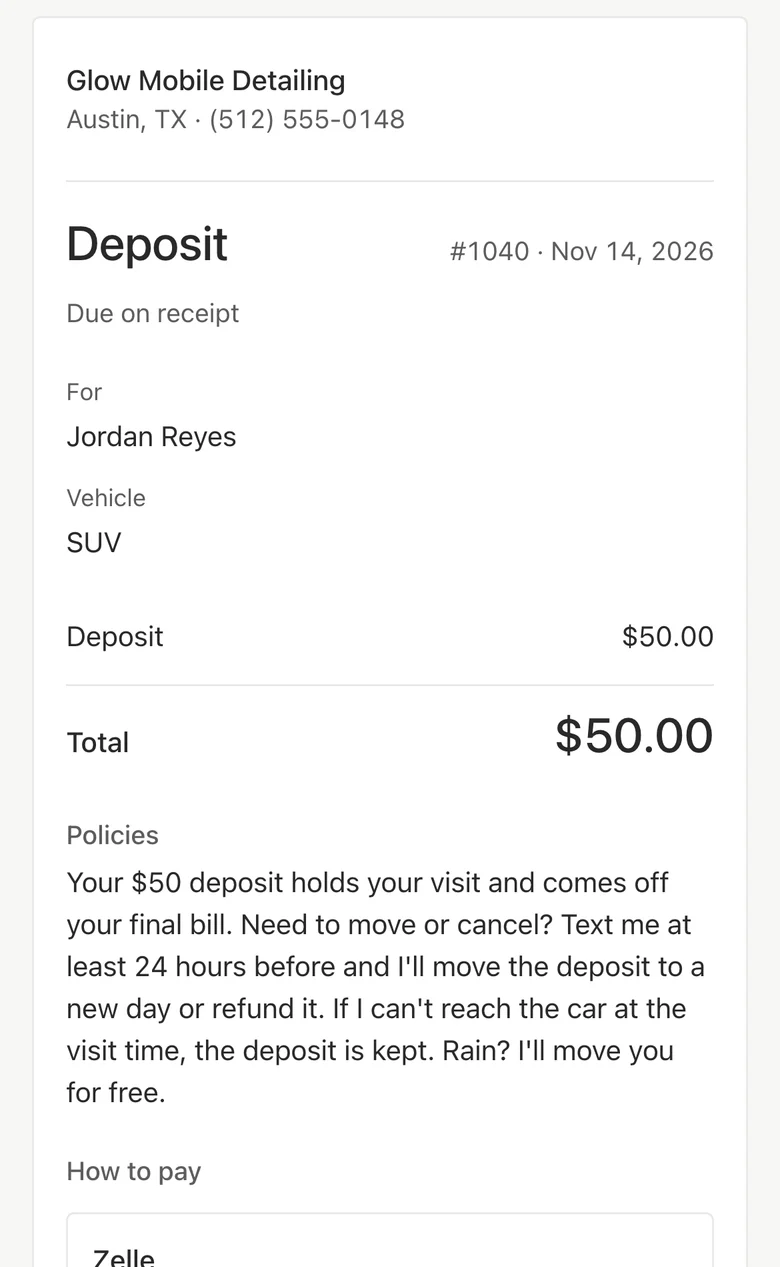
Keep it short and specific. Cover the amount, what happens when someone cancels, what happens when they don’t show up, and what happens with weather. Here is a sample:
Show your policy before the customer pays. Stripe’s dispute prevention guide says there must be evidence that you presented your customer with “a full copy of your policies prior to their purchase.” Square’s dispute advice says to “write out and present your return, refund, and cancellation policies on your receipts or any other agreements,” and that a no-refunds sign at the point of sale or on your website alone “is not sufficient.”
Rules differ by state. Ohio, for example, requires a deposit receipt to say “whether the deposit is refundable and the refund terms” (Ohio Attorney General, Business Guide). Check the rules where you work.
What happens to the deposit if you refund it?
If you took the deposit by card through Stripe, Stripe does not return its processing fees on a refund. Cancelling a payment before it completes costs nothing. Square also keeps its processing fees on a refund, and payments can be refunded within one year of the original transaction date.
So a refunded card deposit costs you the fee you paid on it. That’s worth knowing when you write your policy, and it’s one reason to move a deposit to a new date rather than refund it when the customer agrees.
For weather and your own schedule changes, you can move the deposit to the new date or refund it. Either way, the customer should hear from you before the visit, not after.
Reminders and confirmations
A deposit is one half of keeping your days full. The other half is a reminder the day before, with an easy way for the customer to reply. When the customer confirms, you know they’ll be there. When they ask to change, you hear about it before you drive out.
The two work together: the deposit gives the customer a reason to tell you early instead of not answering, and the reminder gives them an easy moment to do it.
Deposits in TwoBucket
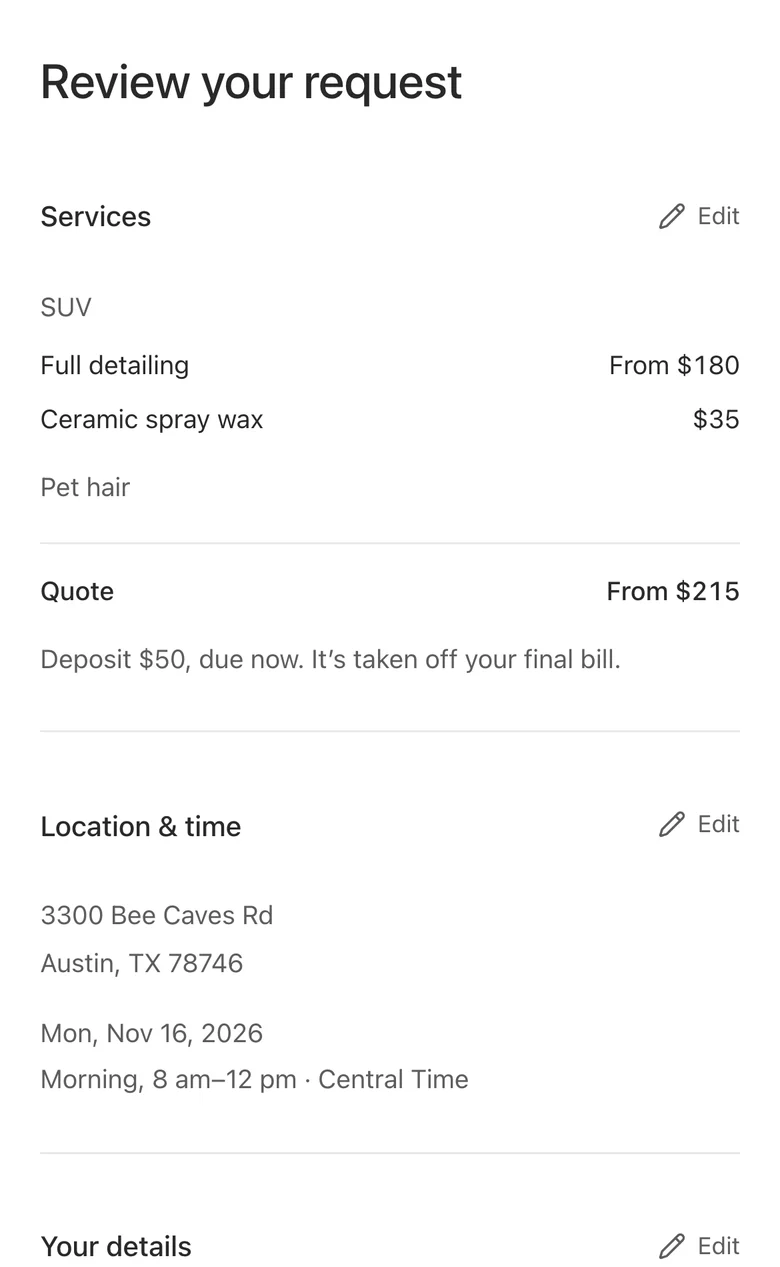
Set a default deposit in Settings → Payments → Deposits on the web: Off, Fixed amount, or Percent of the total. Choose when to ask for it: on the booking page, when a customer approves a quote, or when you send a visit. You can change or remove the deposit on any job.
On the booking page, the customer sees the deposit amount, a note that it comes off the final bill, and your policies before they send. After sending, they get a deposit page, numbered like an invoice, with the ways to pay you’ve set up: card through your own Stripe or Square account, or a saved way to pay like Zelle or Venmo that you mark as received. Card payments show as paid on their own.
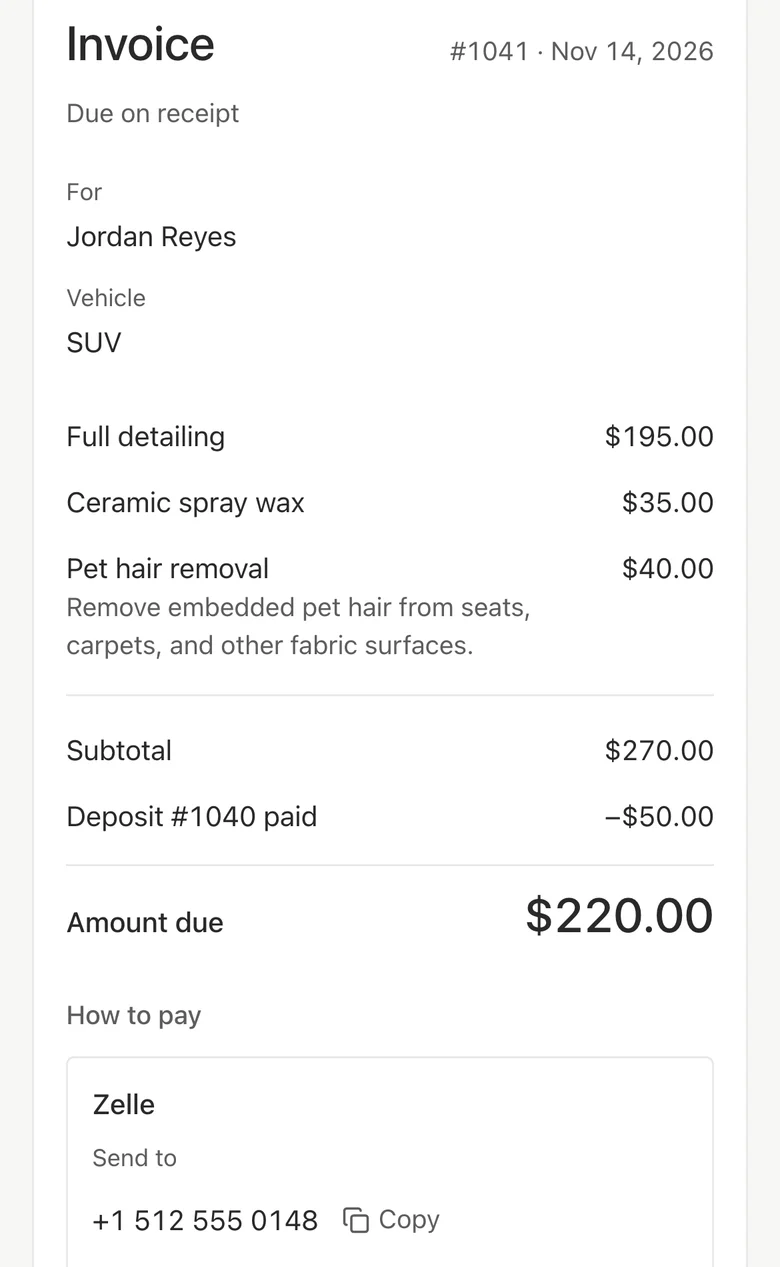
The request reaches you straight away with a Deposit card showing Not paid or Paid. The final invoice shows the paid deposit taken off the total, as in our guide to what to put on a car detailing invoice. If a deposit is still unpaid when you save the final invoice, it’s cancelled, and the editor tells you first.
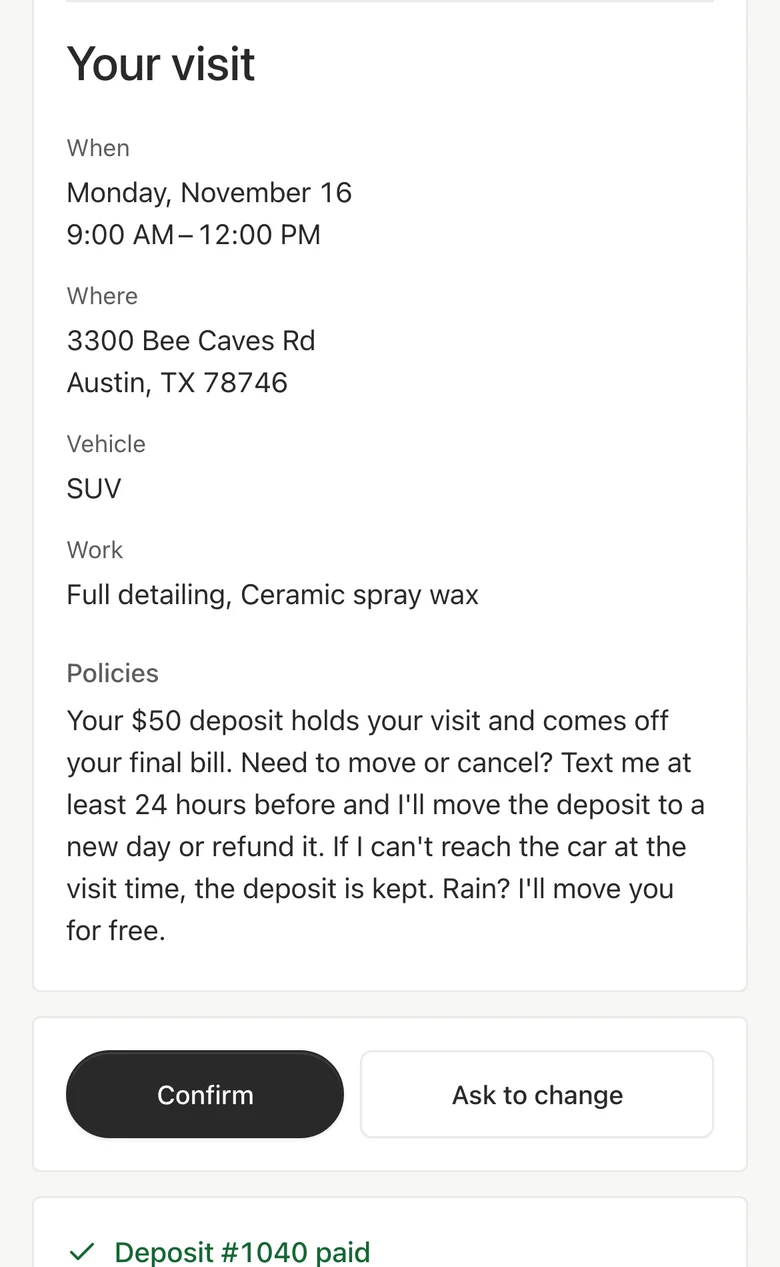
The day-before reminder email links the customer to their visit page, where they can press Confirm or Ask to change. The page shows the deposit as paid. You see “Confirmed” or “Asked to change” beside the visit. We make TwoBucket, mobile detailing software for solo detailers and small teams, and deposits are part of the one plan at $20 a month.
Questions
Is a detailing deposit refundable?
That’s up to you and your policy. The Georgia detailer in our sample counted the deposit toward the bill, didn’t refund it within 48 hours of the visit, and kept it on a no-show. Write your terms clearly, show them before the customer pays, and check the rules in your state, because they vary.
Can I take a deposit by Zelle or Venmo?
You can. In TwoBucket, you add Zelle, Venmo or another way to pay in Settings → Payments, and the deposit page shows it with Copy buttons. Because those payments happen outside TwoBucket, you mark the deposit as received once the money arrives.
Does the deposit come off the final bill?
Yes. The customer pays the same total either way. The final invoice shows the deposit already paid and takes it off the amount due. If the job comes to $199 and the customer paid a $50 deposit, the invoice shows $149 due.
What if the customer doesn’t pay the deposit?
The request still reaches you, and TwoBucket shows the deposit as Not paid, so you can decide what to do. You might follow up, hold the slot for a day, or let the request go. If the deposit is still unpaid when you save the final invoice, it’s cancelled, and you’re told before it happens. The full amount goes on the invoice instead.


