 twobucket.
Rebooking reminders for mobile detailers
TwoBucket emails each customer when their next detail is due, counted from their last visit, with a button to your booking page. You choose when.
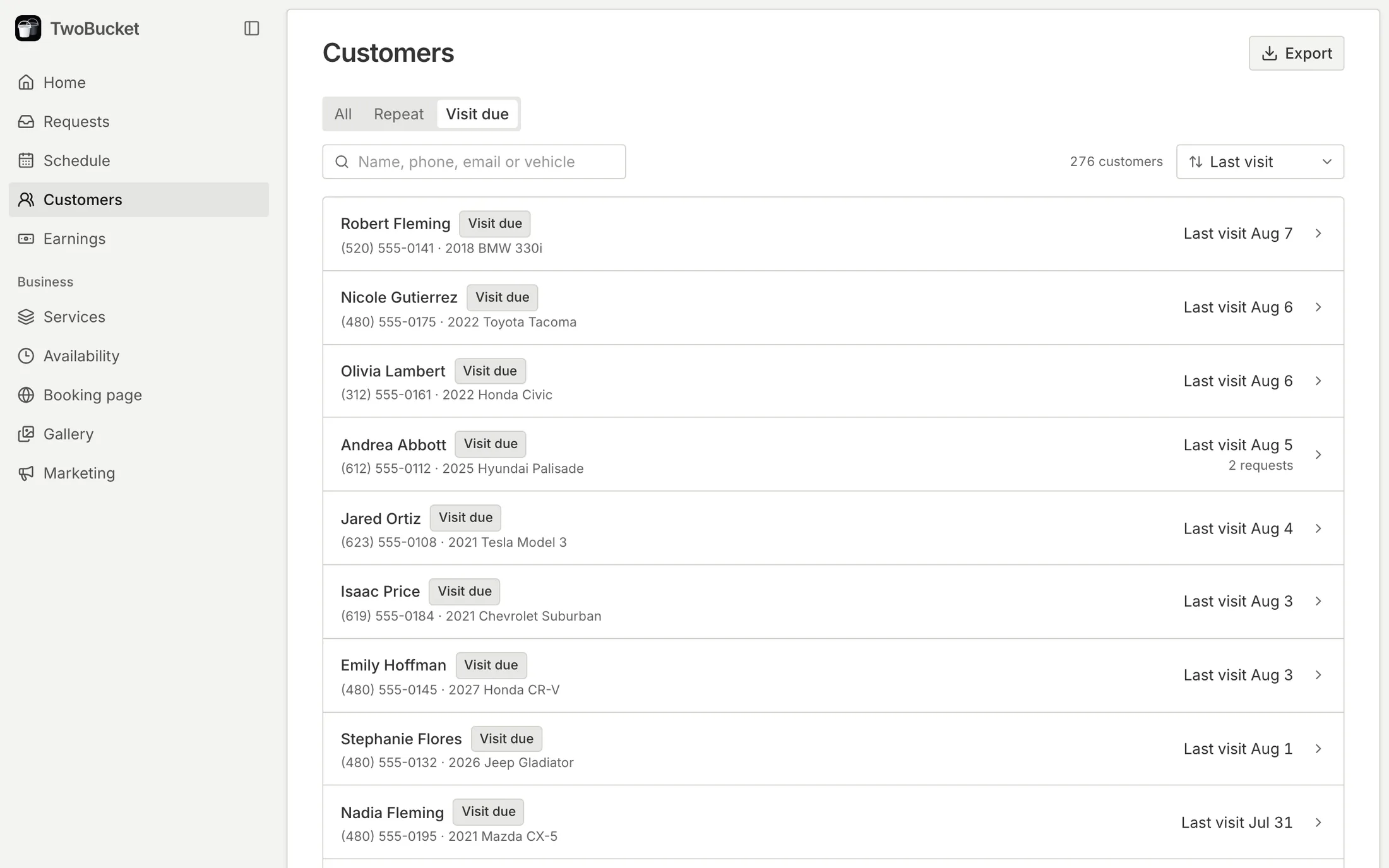
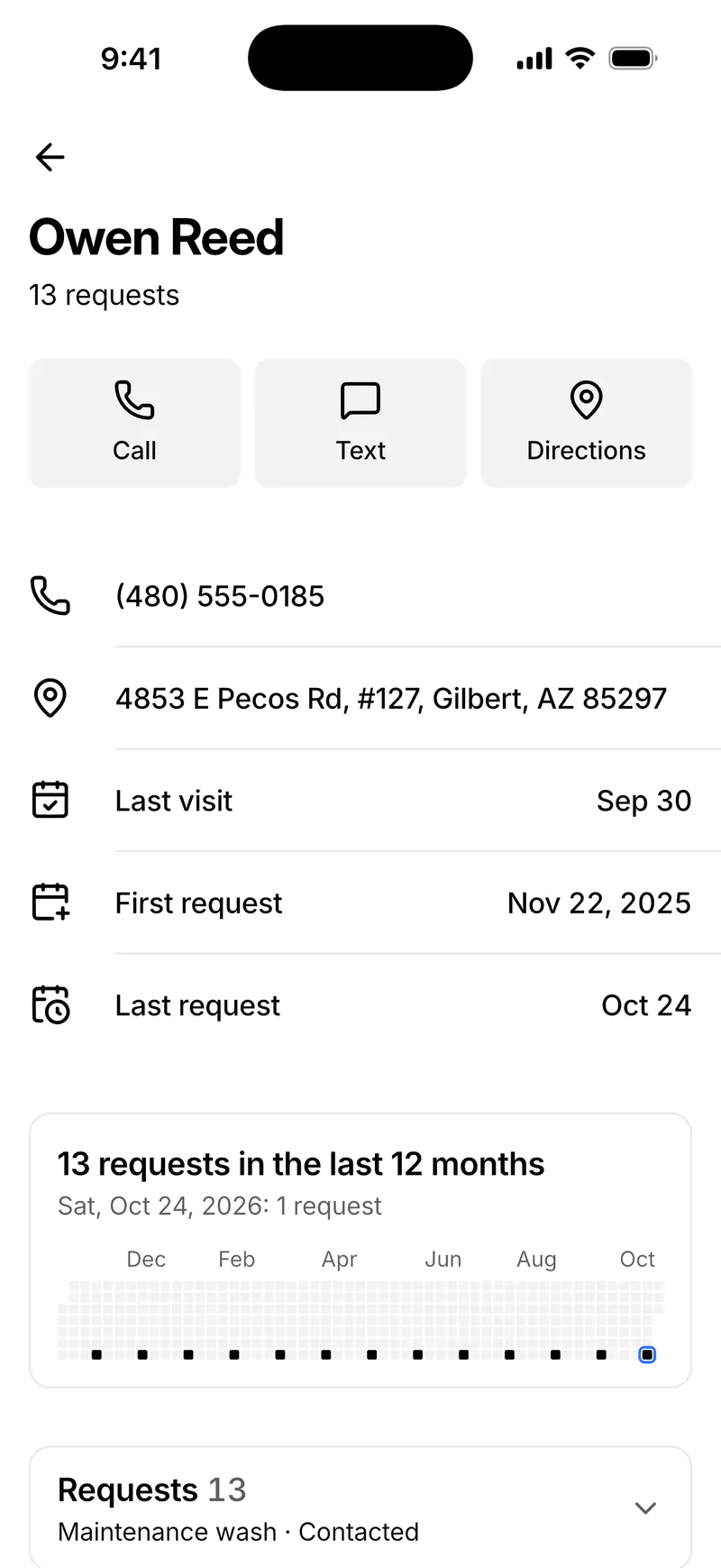
An email when the next detail is due
Choose 1, 2, 3 or 6 months, and TwoBucket emails each customer that long after their last visit. The email goes out in your business’s name, with a Request a visit button that opens your booking page.
Only the customers who need one
Customers who already sent a new request, have a visit coming up or asked to stop get no reminder. Every email has a link to stop them, honored right away.
- A customer page shows when they’re due and when the email went
- Text a reminder from your own phone in one tap
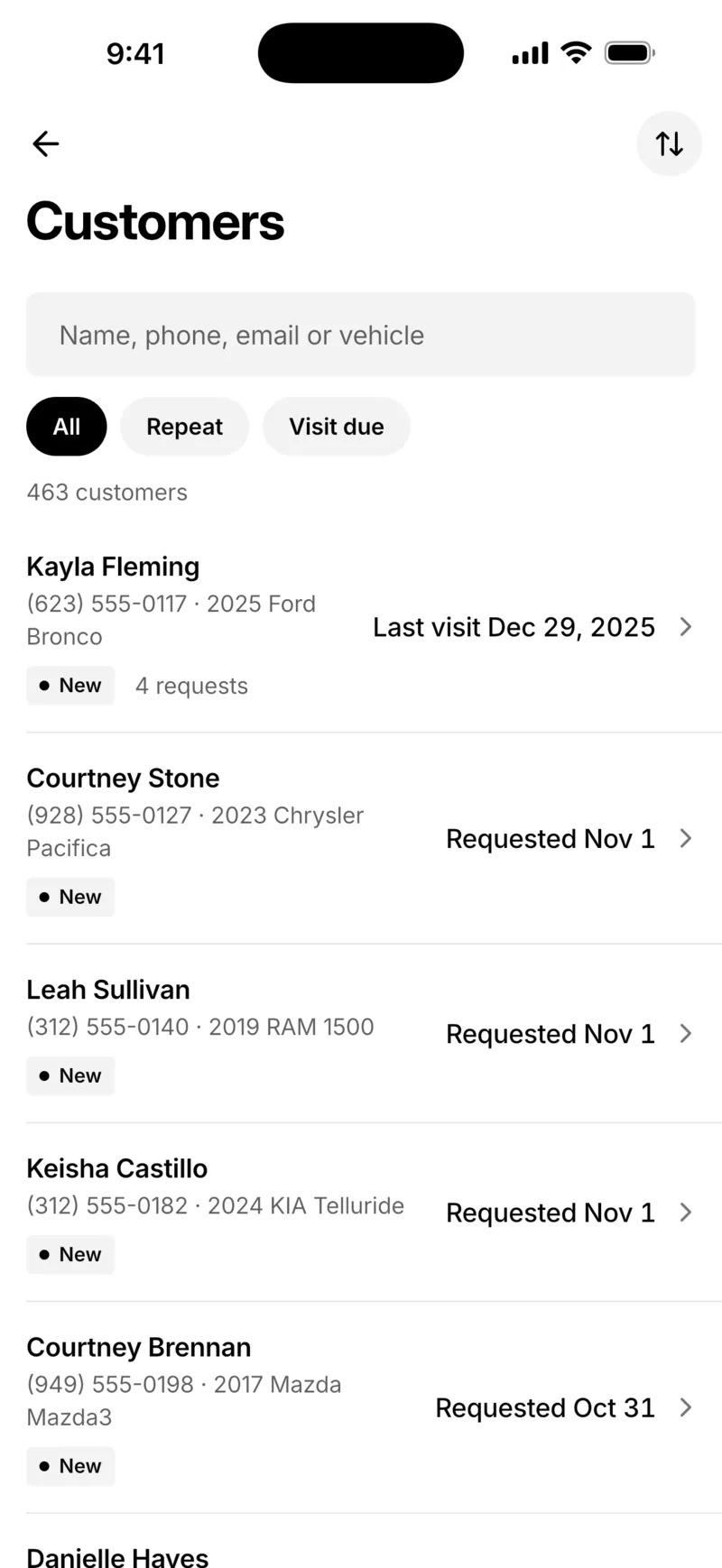
Visit due in your customer list
The Visit due tab in Customers lists everyone due for another visit, with their last visit. Open one to text a reminder from your own number, with the message written for you.
Your interval, your mailing address
Choose the interval under Customer reminders, in Settings → Notifications on the web or Notifications in the app. Reminders need a mailing address, shown at the bottom of each email as the law requires for marketing email. Change the interval or turn reminders off anytime.
Reviews after the job
After a job, ask for a review by text or email. Customers leave stars and a few words, you choose which reviews show on your booking page, and customers with your Google profile link can post there too.
Customers and reviews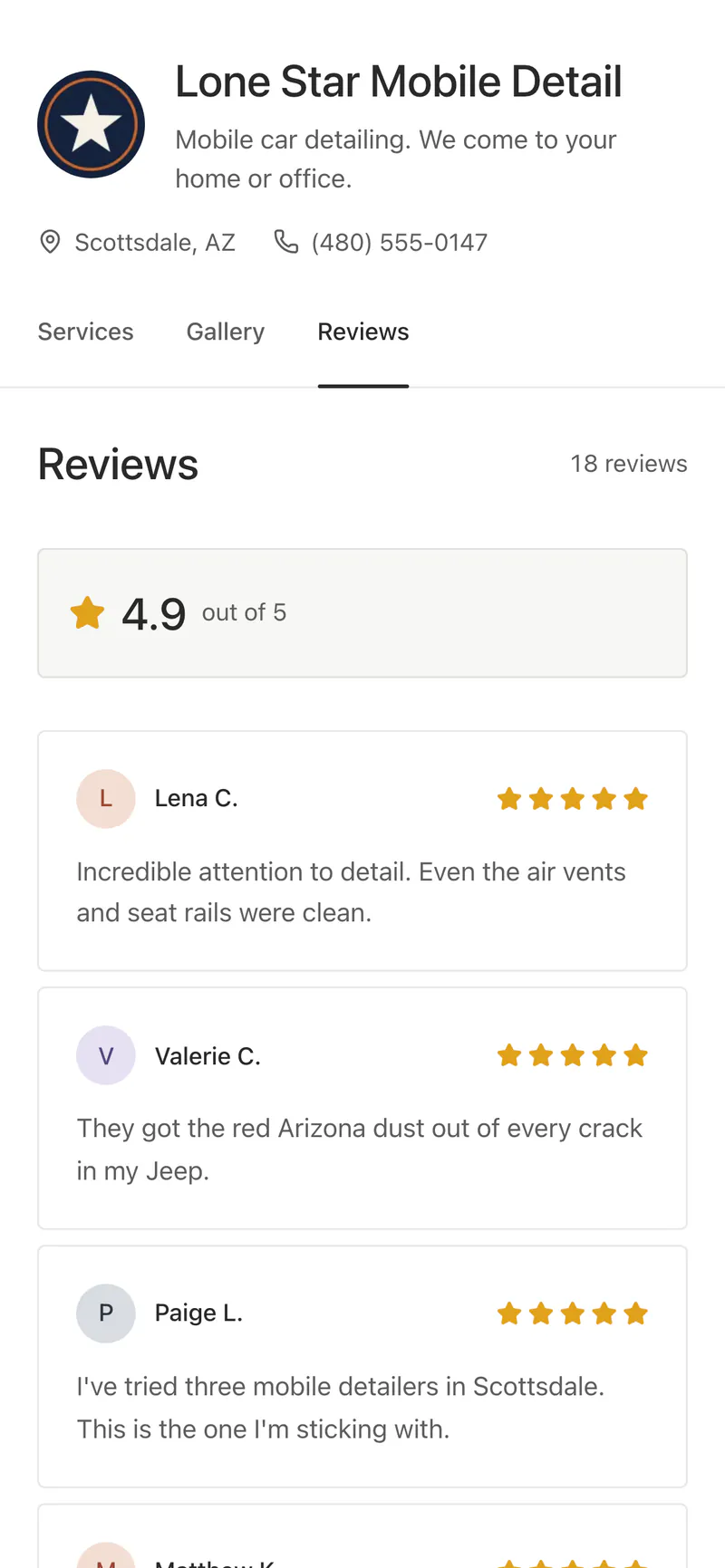
Turn on rebooking reminders
 1
Open Notifications
Go to Settings → Notifications on the web, or Notifications in the app, and find Customer reminders.
 2
Choose when
Pick After 1 month, 2 months, 3 months or 6 months.
 3
Add your address
Enter the mailing address shown at the bottom of each email.
 4
Check Visit due
Open Customers → Visit due, and text anyone you’d like to reach yourself.
Included in the plan
- Reminder emails
- Sent in your business’s name to customers who are due
- When
- 1, 2, 3 or 6 months after the last visit
- Visit due
- Who is due, with a text from your own phone
- Stop link
- In every email, honored right away
Questions
When does a customer get a rebooking reminder?
The number of months you chose after their last visit: 1, 2, 3 or 6.
Does a customer who already booked still get one?
No. Customers who sent a new request or have a visit coming up are skipped.
Can customers stop the reminders?
Yes. Every reminder has a link to stop them, and TwoBucket honors it right away. Their customer page then says they asked not to get reminder emails.
Do reminders go by text?
The automatic reminder is an email. To text a customer, open them under Visit due and tap Text a reminder; it opens your phone’s messages with the text written for you.
Why do I need a mailing address?
The law asks for one in marketing email. TwoBucket shows yours at the bottom of each reminder, and reminders start once it’s there.
Can I change the interval later?
Yes. Change it or turn reminders off under Customer reminders anytime.
More in TwoBucket
Customers
A customer list built from your requests, rebooking reminders, review requests and CSV export.
Calendar sync
Visits in your Google Calendar or iCloud within seconds, kept up to date as plans change.
Marketing
Twelve print and social pieces with QR codes, and stats on visitors, sources and requests.
Your work is spotless. Now your business is too.
Set up your page today and share it with your next customer.