 twobucket.

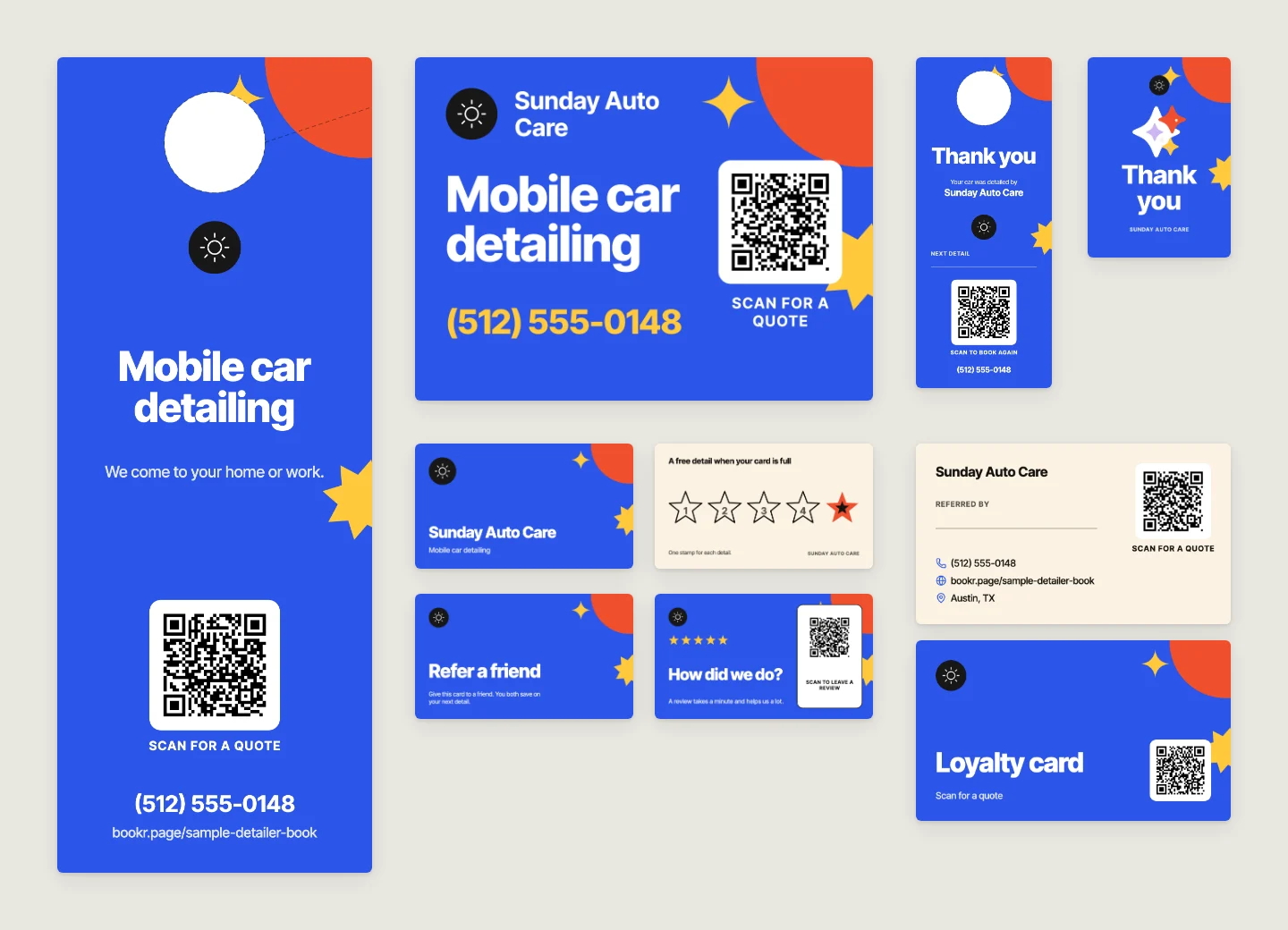
Start with six printed pieces. Hand out a business card and a loyalty or referral card at every job. Leave a thank-you card or a mirror tag in the customer’s car when you finish. Put door hangers on nearby doors and a yard sign by the driveway while you work. Every piece should carry a QR code that opens your booking page, so anyone who picks one up can request a detail on their phone.
This guide covers what to print, where each piece goes, how to size and order it, and how to handle review cards without breaking Google’s or the FTC’s rules. At the end, we explain how Marketing in TwoBucket turns your booking page into print-ready files.
What to hand out at the job
Business card. Hand one to every customer. Keep the front simple: your business name, phone number and a QR code to your booking page. The back has room for a short list of services or your Instagram handle with a booking link. If you print only one piece, print this one.
Loyalty card. A stamp for each visit and a reward when the card is full. You pick the reward and the number of stamps. Print it on uncoated or matte card stock so pen ink and rubber stamps don’t smear.
Referral card. The customer passes it to a friend, with wording like “Give this card to a friend. You both save on your next detail.” Include a QR code so the friend can book straight from the card.
Review card. A small card with a QR code that opens your Google or Facebook review page. Hand one to every customer, not just the ones who look happy. The card asks for a review and never offers a reward; the review section below explains why. For more on building your Google reviews, see the guide to Google reviews for detailers.
Appointment card. Write the customer’s next visit date and time on it, so the reminder goes home with them.
What to leave in the customer’s car
Thank-you card. Leave it on the driver’s seat when the job is done: a short line of thanks, your name, and a QR code to your booking page. The customer sees it the moment they open the door.
Mirror tag. Hang it from the rearview mirror when you finish. The print shop cuts a hole or slot so it slips over the mirror.
Next-detail sticker. A static-cling or removable-vinyl sticker that peels off glass cleanly. Write the next detail date on it and put it on the inside of the windshield, where the customer sees it when they drive.
Care card. A small card on keeping the car clean after a detail, such as how long to wait before the next wash. It keeps your name and QR code in the glovebox.
What works in the neighborhood
Door hanger. While you are working on a street, hang these on nearby front doors. The print shop cuts the handle hole, and the design leaves room for it. A door hanger goes on the door, never in or on the mailbox. US federal law (18 U.S.C. § 1725) fines anyone who puts unstamped circulars in a mailbox to avoid postage, and the USPS Domestic Mail Manual (508.3.1.3) says no part of a mailbox may be used to deliver matter without postage, including anything placed upon, attached to, hung from, or inserted into it.
Yard sign. A corrugated plastic sign with wire stakes, standing at the end of the driveway while you work. Always ask the customer before you put it out. Cities regulate yard signs. Lenexa, Kansas, for example, does not allow signs in the public right of way. Owatonna, Minnesota, allows temporary signs on private property and not in public rights-of-way. Check your city’s rules before you stake one near the curb.
Car magnet. A magnetic panel for the doors of your car or van. Order it 30 mil (0.8 mm) thick with rounded corners, and take the magnets off before you go through a wash.
Flyer. Your services and prices on one page, for community boards and shop windows. A QR code on the flyer sends people to your booking page, so they can request a detail without typing an address. You can also link your booking page from your Google Business Profile for people who find you online instead.
Can a review card offer a discount?
No. Google’s contribution policy says businesses may not offer payment, discounts, free goods or services in exchange for posting any review, and may not ask only satisfied customers. The FTC’s rule on reviews (16 CFR 465.4, in effect since October 21, 2024) prohibits incentives conditioned on writing a review that expresses a particular sentiment, whether positive or negative. Google’s rule is the stricter of the two: no reward for any review. A review card should simply ask for a review with a QR code, and you should hand one to every customer.
How to make a QR code that scans
Print the code at least 2 cm (0.8 in) square, according to Uniqode’s printing guide, and larger on a yard sign that people read from the street. Use a dark code on a light background. Colors print a little darker than they look on screen. Before you hand out a single piece, scan a printed copy with your phone’s camera at the distance a customer would use. Order a few copies first, not 500.
What to tell the print shop
| Piece | Common size | What to order |
|---|---|---|
| Business card | 3.5 × 2 in | 16 pt (350 gsm) card stock, gloss or matte |
| Loyalty card | 3.5 × 2 in | 16 pt (350 gsm) card stock, uncoated or matte so stamps don’t smear |
| Door hanger | 4.25 × 11 in or 4.5 × 11 in | 14 pt (300 gsm) card stock, with the handle hole cut |
| Yard sign | 18 × 24 in (shops sell 12 × 18 to 24 × 36) | 4 mm corrugated plastic with wire stakes |
| Car magnet | 24 × 12 in or 18 × 12 in | 30 mil (0.8 mm) magnet with rounded corners |
| Mirror tag | 3.5 × 8.5 in | 14 pt (300 gsm) uncoated card with a hole or slot |
Sizes differ by print shop. The sizes above are the ones TwoBucket’s pieces come in and Vistaprint’s listings as of November 14, 2026. Ask for bleed: the shop wants an extra 1/8 in of background past each edge so no white line shows after cutting. If you print at home, print at 100% (not “fit to page”) on thick paper and cut along the marks.
Print pieces in TwoBucket
Marketing on the web turns your booking page into 24 pieces to print or post. The set includes everything in this guide (business card, loyalty card, referral card, review card, appointment card, thank-you card, mirror tag, sticker, care card, door hanger, yard sign, car magnet and flyer) plus gift certificates, coupons, posters, and social posts, stories and before-and-after images for Instagram and Facebook.
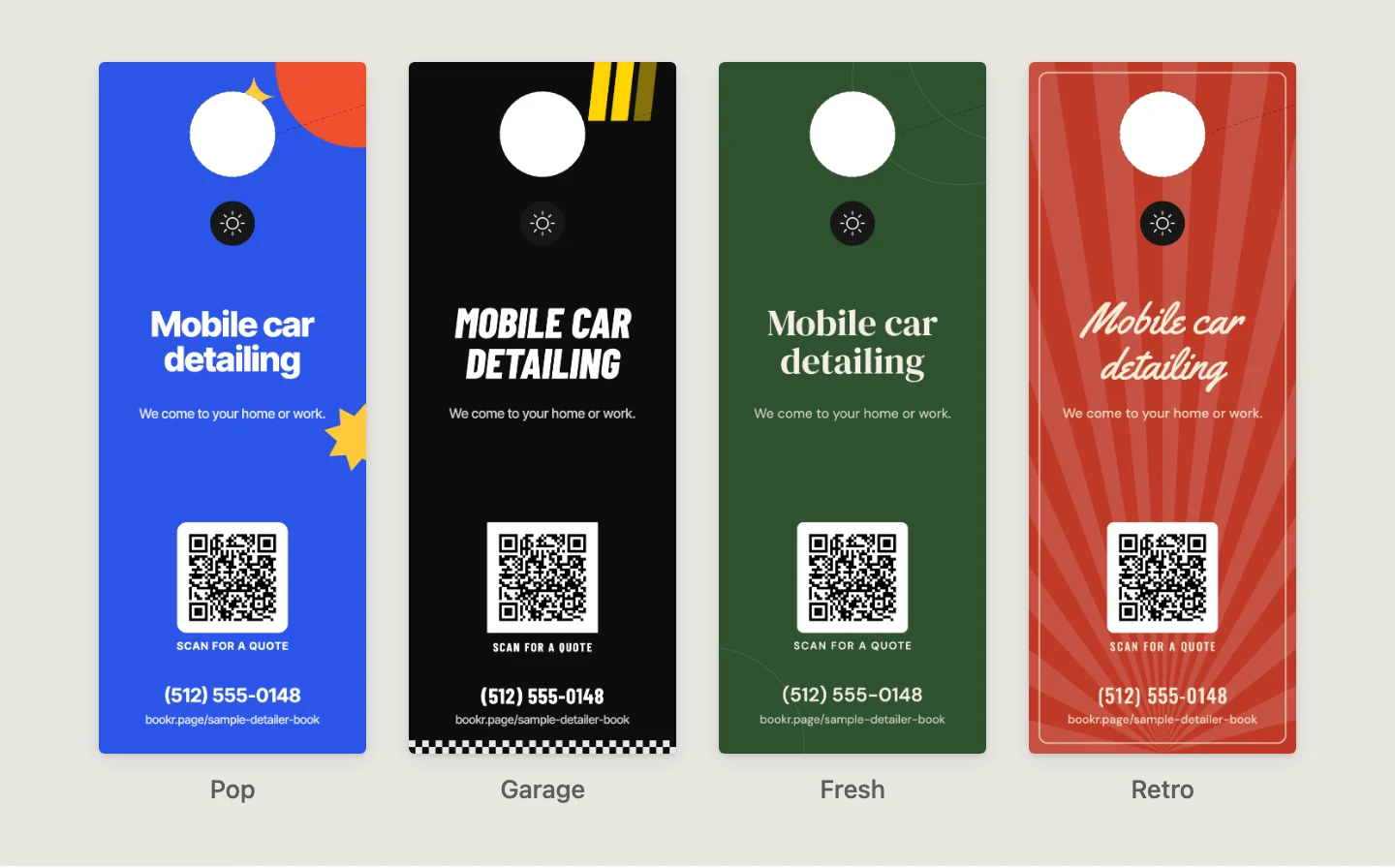
Pick one of 13 styles, choose your colors, and use a drawing or your own photo. Your business name, phone number, services and prices fill in from your booking page. Every piece that carries a QR code opens your booking page, and Stats shows the visits each piece brought, by name, so you can see whether the door hanger or the mirror tag is sending people your way.
Download a print-shop PDF with bleed, or a sheet with cut marks for home printing. Files are 600 dpi up to Letter or A4. Each piece tells you what to order and on which paper. We make TwoBucket, mobile detailing software with a booking page, quotes, invoices, card payments and scheduling, and all 24 of these pieces are included in one plan at $20 a month, with a 7-day free trial and no card required.
Questions
Can I put flyers in mailboxes?
No. US federal law (18 U.S.C. § 1725) and the USPS Domestic Mail Manual (508.3.1.3) prohibit putting unstamped material in, on, attached to, or hung from a mailbox. Hang door hangers on the door, and put flyers on community boards or in shop windows where you have permission.
How many stamps should a detailing loyalty card have?
That is your call. TwoBucket’s loyalty card takes 5 to 12 stamps. A smaller number means the card fills up sooner, so the customer reaches the reward after fewer visits. Pick a number that fits the reward you are offering and how often your customers come back.
What size should a yard sign be?
18 × 24 in is a common size, and print shops sell sizes from 12 × 18 in to 24 × 36 in. TwoBucket’s yard sign comes in 24 × 18 in and 18 × 12 in. Order it on 4 mm corrugated plastic with wire stakes. Ask the homeowner before you put it out, and check your city’s rules on temporary signs.
Can I see which printed piece people came from?
Yes. In TwoBucket, each piece’s QR code opens your booking page with a tag for that piece. Stats on your booking page shows the visits each piece brought, listed by name (door hanger, mirror tag, business card and so on), so you can see which printed pieces send people to your page.


